Hiring an LED screen is usually about one thing: putting the right content in front of a live audience, outdoors, in daylight, for a few days. The screen you hire decides what that content can be — how sharp, how bright, and how close people can stand. At VP LED we build the rental walls most events ask for but rarely find: fine-pitch outdoor panels that stay readable in sun.
What You Can Show
Live video and camera feeds — concerts, sport, conferences, with smooth motion and high refresh for clean broadcast capture.
Brand and sponsorship loops — logos, countdowns, social handles, kept bright enough to read across a crowded plaza.
Presentations and data — slides, scores, schedules; fine pitch keeps small text legible up close.
Art and stage design — pixel-mapped visuals, backdrops, immersive walls.
Real-time social walls — hashtag feeds and live reactions during the event.
Matching Content to the Screen
| Content type | What the screen needs |
|---|
| Small text / data | Fine pitch (P1.2–P1.9), close viewing |
| Video / broadcast | High refresh, stable colour, high grey-scale |
| Daylight outdoor | 4,500–5,000+ nits, sealed COB surface |
| Touring / quick change | Rental cabinet, quick-lock, rear service |
The VP LED Rental Edge
We run P1.2 / P1.5 / P1.9 in both fixed and rental versions, and outdoor rental at those fine pitches is something few suppliers offer. That combination — fine pitch, rental-grade ruggedness and 4,500+ nits in daylight — is what lets you put sharp, sun-readable content in front of a mid-distance crowd without lugging an oversized coarse-pitch wall. See the COB Outdoor P1.5 for the rental build.
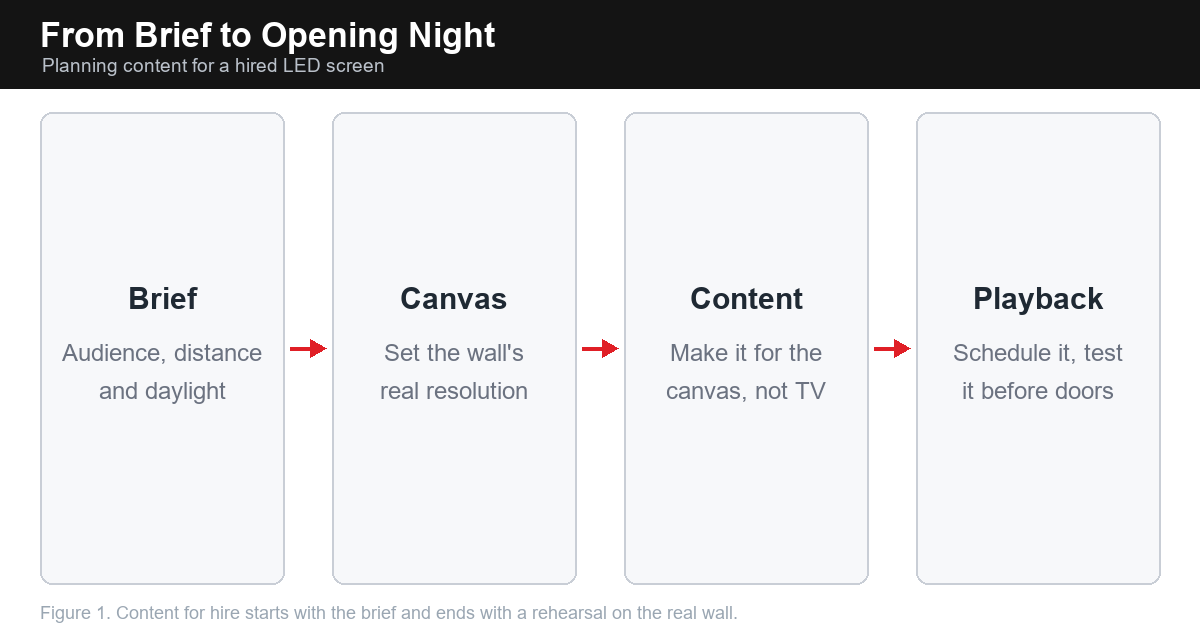
Before You Hire
Fix the nearest viewing distance — it sets the pitch.
Fix the ambient light — daylight means 4,500+ nits, not an indoor panel.
Fix the content — text-heavy needs finer pitch than logo loops.
Confirm rigging and power with the venue before delivery.
Technical Note: Resolution and File Size on the Real Canvas
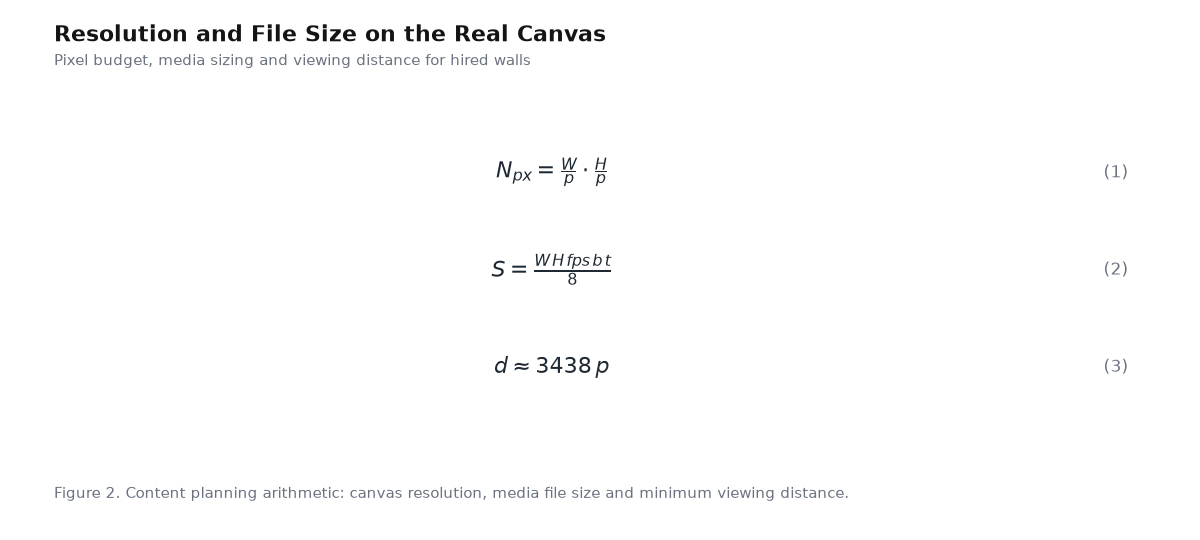
Equation (1) is the canvas: a wall's real pixel resolution from physical size and pitch - content made for this number, not for TV, is what looks right on stage. Equation (2) sizes the media: width times height, times frame rate, times bits per channel, times seconds, over eight - the uncompressed stream the player must sustain. Equation (3) sets where the audience stands: 3438 times the pitch in metres, which decides whether your content needs fine detail at all.
Request a Quote
Tell us your event type, venue light, viewing distance and hire dates and we will specify the right rental wall — pitch, brightness and cabinet count — with a transparent quote.
Email: info@visionprox.com
Related Reading
References & Standards
Authoritative background and standards on the technologies discussed above:
Academic References
Peer-reviewed and preprint research supporting the technical points above:
Qian, Y.; Yang, Z.; Hsiang, E.-L.; Wu, S.-T. et al. Human Eye Contrast Sensitivity to Vehicle Displays under Strong Ambient Light. Crystals 2023, 13(9), 1384.
Ashraf, M.; Chapiro, A.; Mantiuk, R.K. Resolution limit of the eye: how many pixels can we see? arXiv:2410.06068 (2024); published in Nature Communications 16, 2025.
Lee, T.-Y.; Kuo, H.-C. et al. Technology and Applications of Micro-LEDs: Their Characteristics, Fabrication, Advancement, and Challenges. ACS Photonics 2022.
Related VP LED products: CBV P1.95 COB Rental LED Display · CPV P2.6 Rental LED Display · CEV P2.9 Rental LED Display


